Configure device networking with Netplan
Device networking on SPEKTRA Edge is configured with Canonical Netplan, which provides a clean, YAML-based configuration and supports a wide range of Linux networking managers. You edit that YAML from the dashboard and the platform pushes it to the device.
This page walks through one concrete case — adding a Wi-Fi interface to a Raspberry Pi as a secondary uplink — so you can see the whole push-and-verify loop end to end. The same flow applies to wired interfaces, VLANs, bonds, and cellular; only the YAML differs.
Please take a look at the official Netplan how-to guides for additional examples how to configure device networking.
What you need
To go through this page, you need the following.
- access to the SPEKTRA Edge dashboard
- an active project
- a device provisioned under the project
Configure Wi-Fi networking
Go to the Device overview page by clicking the device name on the Project overview page.
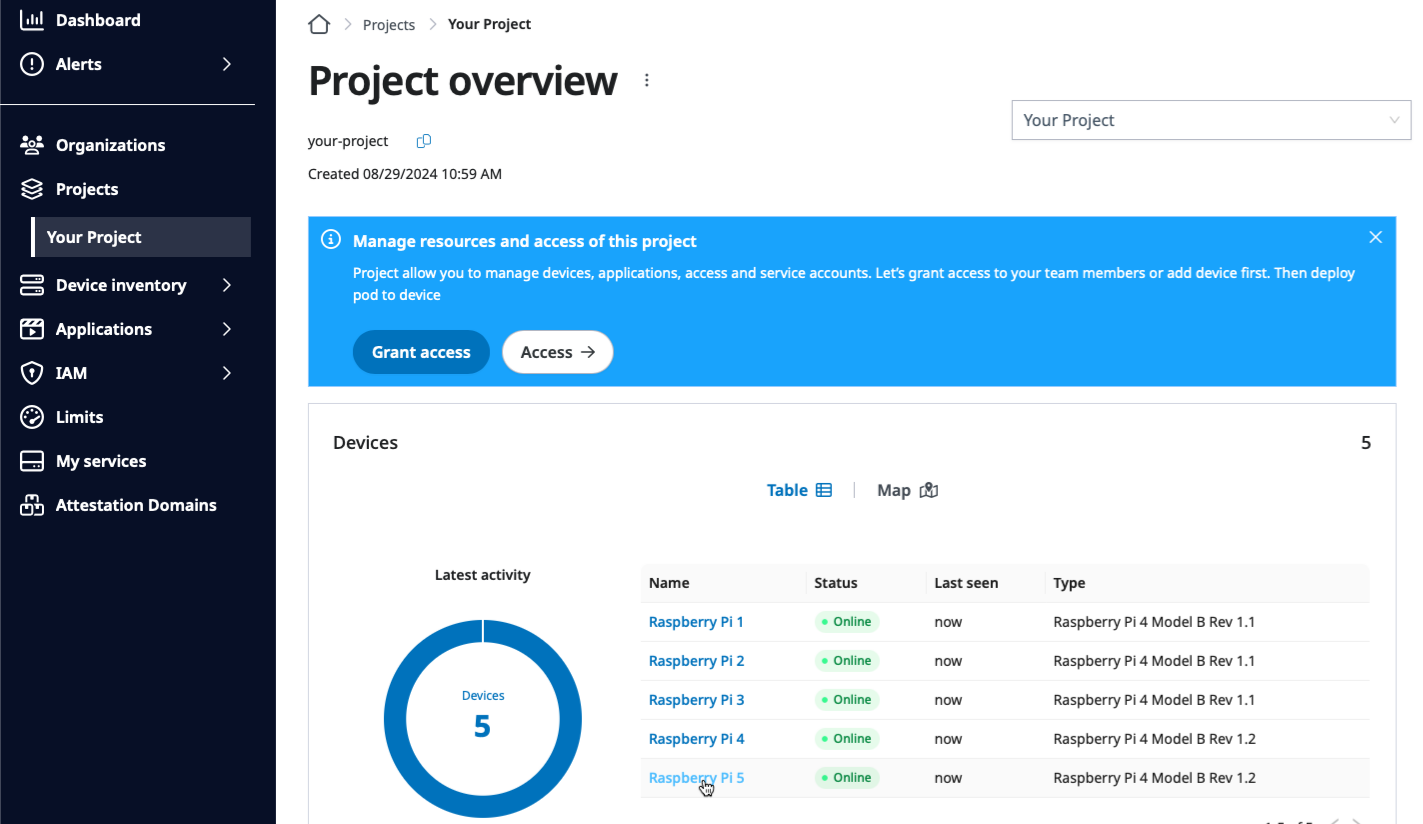
Clicking the device name, Raspberry Pi 5, to go to the Device overview page.
Then, click the Edit details option of the Device actions to open the Update device details page.
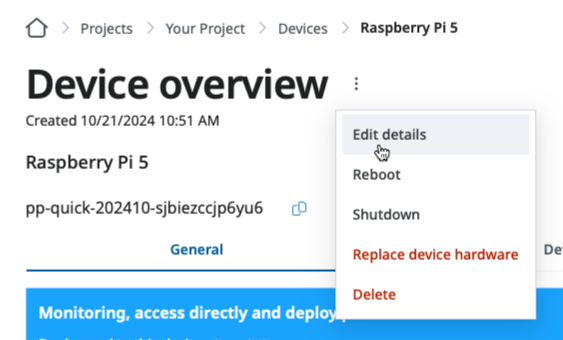
Clicking the Edit details option to open the Update device details page.
Go to the Network agent section of the Update device details page and use the Merge option to add the new Wi-Fi specific configuration.
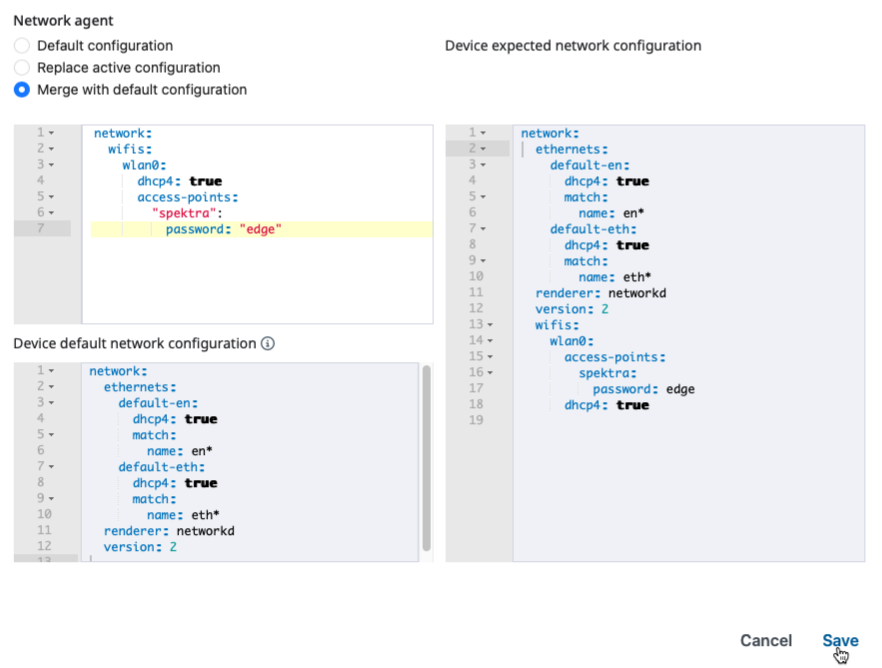
Add Wi-Fi specific configuration with the Merge with default configuration option.
Please note that the above example is a simple Wi-Fi network configuration to connect to the home Wi-Fi network with spektra SSID and edge password.
Please take a look at the official Netplan How-to guides for more real-life Wi-Fi configurations.
Verify Wi-Fi networking
Go to the Device overview page and check the IP address as well as the ISP information for the wireless interface.
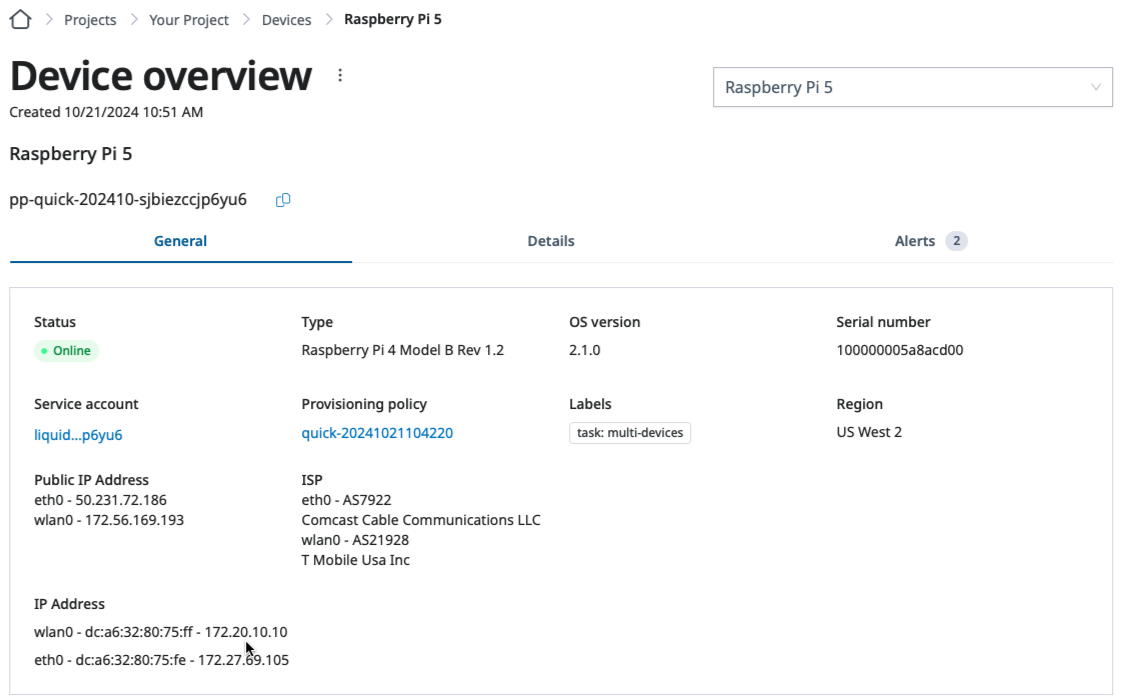
Verifying the IP address of the Wi-Fi interface on the Device overview page.
Related
- Settings supplied as files — the file-based alternative to pushing from the dashboard.
Next steps
Congratulations on configuring the Wi-Fi networking of your Raspberry Pi with SPEKTRA Edge.
With that, let’s move on to proxy configuration if your devices reach the internet through a forward proxy, or to OS upgrades.
Onwards.