Device logs
Devices can forward their logs to the SPEKTRA Edge platform and you can also pull logs on demand. This lets you observe devices and workloads without logging into each one.
Forwarding logs to the platform
You can configure a device to forward its system logs and its container (workload) logs to the platform. The logging configuration lets you control:
- the minimum severity to forward, so you can keep volume manageable
- which system components to include
- whether container logs are exported
Forwarded logs are available on the dashboard and through the cuttle command-line tool.
Device log levels
SPEKTRA Edge supports the Syslog severity levels outlined in RFC5424 Section 6.2.1.
Here is the brief description of those log levels for your reference.
| Log level | Description |
|---|---|
| Emergency | Logs for the unstable system situation. |
| Alert | Logs for the immediate action required, or the above. |
| Critical | Logs for the critical conditions, or the above. |
| Error | Logs for the error conditions, or the above. |
| Warning | Logs for the warning conditions, or the above. |
| Notice | Logs for the normal but significant conditions, or the above. |
| Informational | Logs for the informational messages, or the above. |
| Debug | Logs for the debug-level messages, or the above. |
Setting the lower device log level means the device uploads the logs at that level and all the higher level logs.
Set it to the higher log level, e.g. Error, in case you want to reduce the logs forwarded by the particular devices.
Change device log levels
To go through this section, you need:
- access to the SPEKTRA Edge dashboard
- an active project
- a device provisioned under the project
Go to the Device overview page by clicking the device name on the Project overview page.
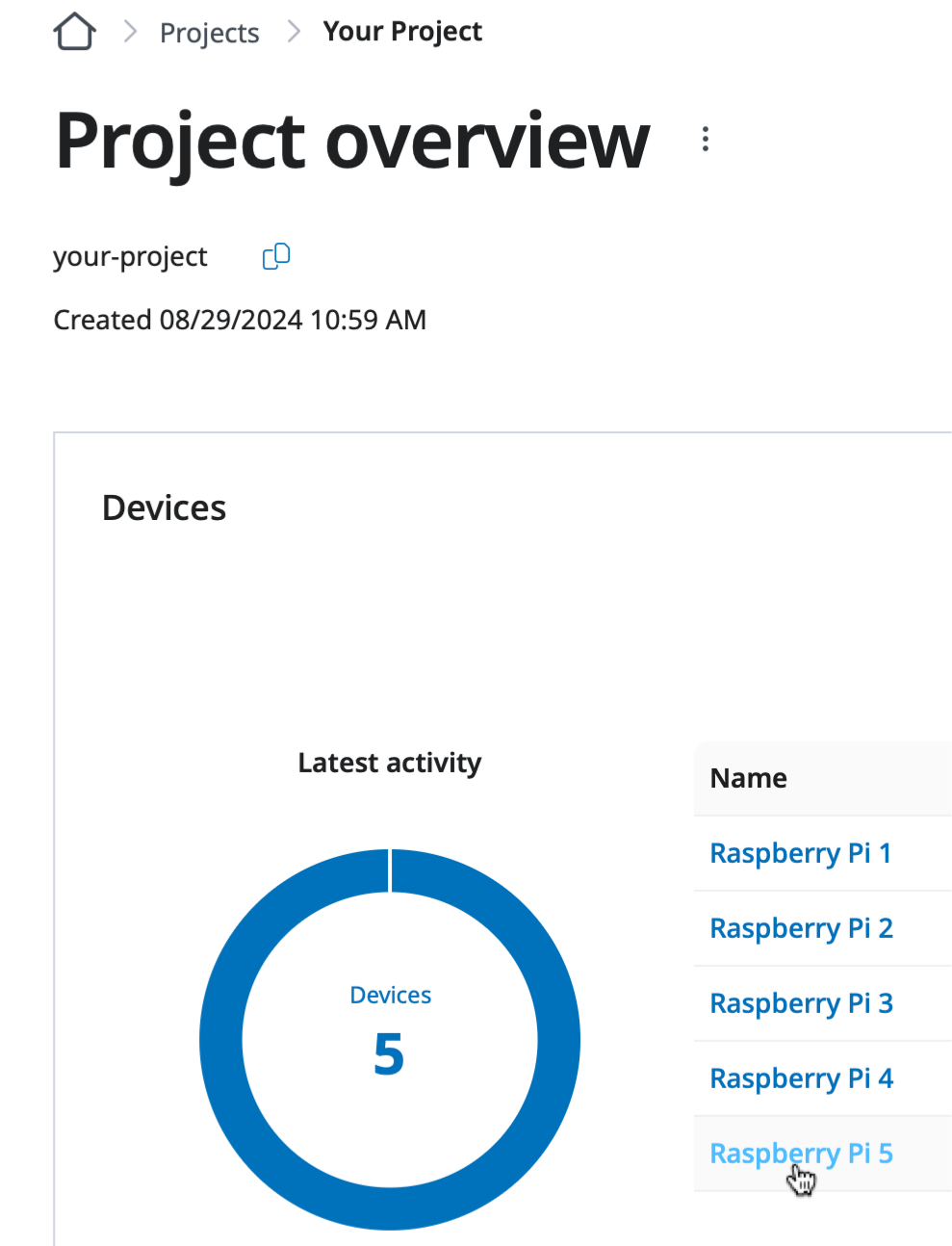
Clicking the device name on the Project overview page.
Open the Update device details page by clicking the Edit detail option of the device menu option.
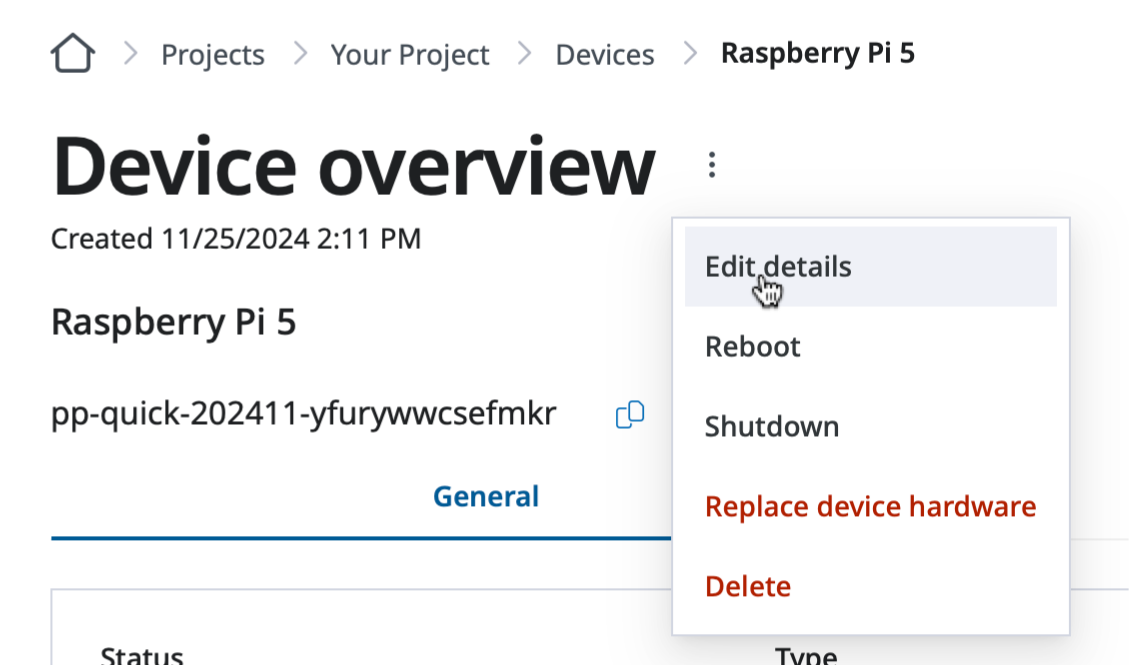
Click the Edit detail option of the device menu option.
Set the appropriate device log forwarding levels, e.g. Error, by selecting it in the Log forwarding minimum log level field.
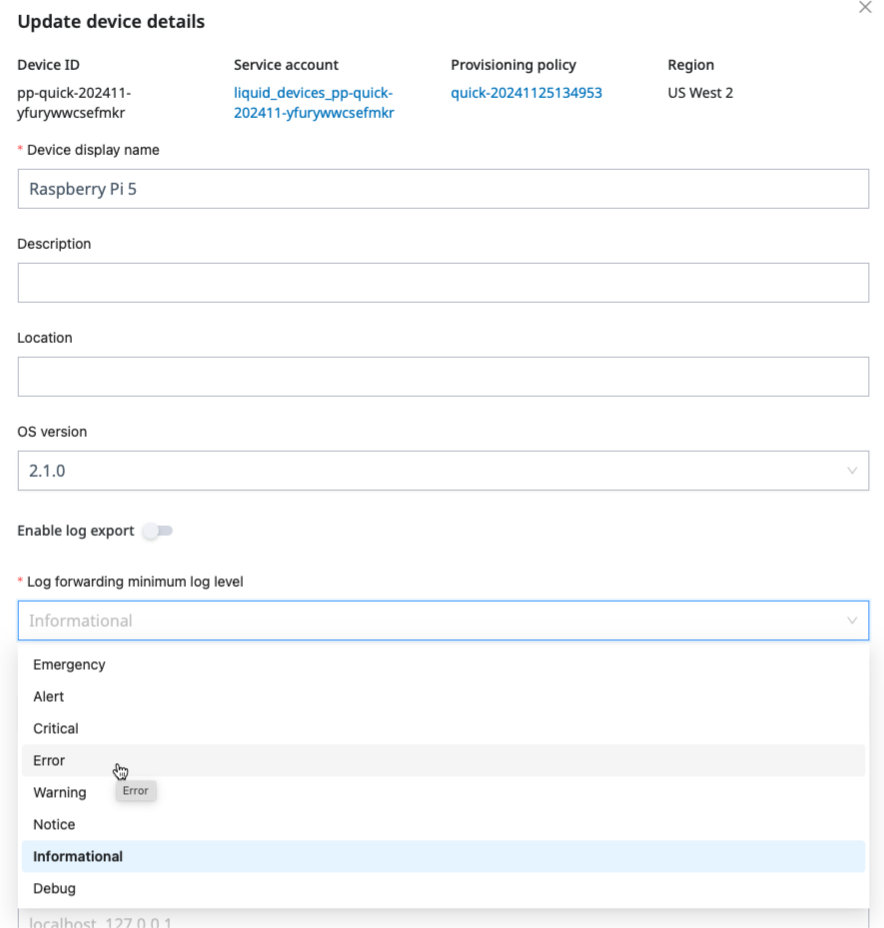
Changing the device forwarding minimum log level to Error from Informational.
That’s it!
Pulling logs on demand
Independently of forwarding, you can stream a device’s system or container logs on demand through remote access — useful for live troubleshooting without raising the forwarding level for the whole fleet.
Recommendations
- Forward at a moderate severity by default and raise it temporarily when investigating an issue.
- Use on-demand log streaming for live debugging rather than forwarding everything.
- Remember that logs stored on the device live on the data area; very verbose logging consumes data-area space.
Next steps
Congratulations on understanding various device logging levels supported on SPEKTRA Edge and how to change those.
Let’s move on to the next learning material, managing alerts on SPEKTRA Edge.
Onwards.